
GOOGLE ADS
Google Ads for Local Businesses: A Denver Guide to Getting Calls, Not Just Clicks
The settings, keywords and tracking that turn local Google Ads clicks into phone calls and booked jobs.
ESTIMATED READ TIME: 13 MINUTES
Want an outside read on whether your ads are earning their keep?
Most local business owners who give up on Google Ads say the same thing: “I got clicks, but the phone didn’t ring.” They are usually right. And in most of the accounts we review, the problem is not Google Ads itself. It is a handful of settings and decisions that quietly send money to the wrong people, at the wrong time, to the wrong page.
Google Ads can be the most direct way for a local business to get new customers, because it puts you in front of people at the exact moment they search for what you do. “An emergency plumber near me.” “Best dentist in the Highlands.” “Roof repair Littleton.” Those are not browsers. Those are buyers.
This guide walks through how to set up and run Google Ads so they produce phone calls, booked appointments and real jobs for a local business. It covers location settings, keywords, call ads, budgets, landing pages and tracking, with the practical detail you need to either run your own campaigns or hold an agency accountable.
Key takeaways
- Local Google Ads succeed or fail on a few settings: location, keywords, ad schedule, call options, landing page and conversion tracking.
- Use the “Presence” location option so your ads reach people in your service area, not people just interested in it.
- Add call assets and track calls as conversions, because most local leads arrive by phone.
- Review your search terms report every week and add negative keywords to stop paying for searches that never convert.
- Your budget should be large enough to collect real data.
- Too small a budget spread across too many keywords produces no clear answers.
Why Google Ads Works So Well for Local Businesses
Google Search ads are triggered by intent. Someone types a problem or a service into Google, and your ad can appear right then. That is very different from social media ads, which interrupt people while they are doing something else.
For local businesses this intent is especially strong. People searching for a local service usually need it soon, are comparing a small number of options and are ready to call. That is why Google Ads often produces leads faster than almost any other channel.
There is a trade-off: because these searches are valuable, many businesses compete for them. That competition pushes costs up. The businesses that win are not always the ones that spend the most. They are the ones that waste the least. If you are still deciding between search ads and social ads, our comparison of targeted advertising on Google vs social media is a good starting point.
How Google Decides When Your Ad Shows and What You Pay
Every time someone searches, Google runs an auction among the advertisers who want to show for that search. Your position is decided by your Ad Rank. According to Google’s explanation of Ad Rank, it considers your bid, the quality of your ads and landing page, Ad Rank thresholds, the competitiveness of the auction, the context of the search and the expected impact of your ad assets.
Two practical lessons come out of this:
- Quality matters as much as money. Google says higher quality ads can often lead to lower costs per click. A relevant ad pointing to a useful landing page can beat a competitor with a bigger bid.
- You pay per click, not per call. That is why everything after the click (your landing page, your phone answering, your follow-up) decides whether the click was worth it.
Google also shows a Quality Score from 1 to 10 for each keyword, based on expected click-through rate, ad relevance and landing page experience. Google is clear that Quality Score is a diagnostic tool, not an input in the auction, but it points you to what needs fixing.
The Six Settings That Decide Whether You Get Calls or Just Clicks
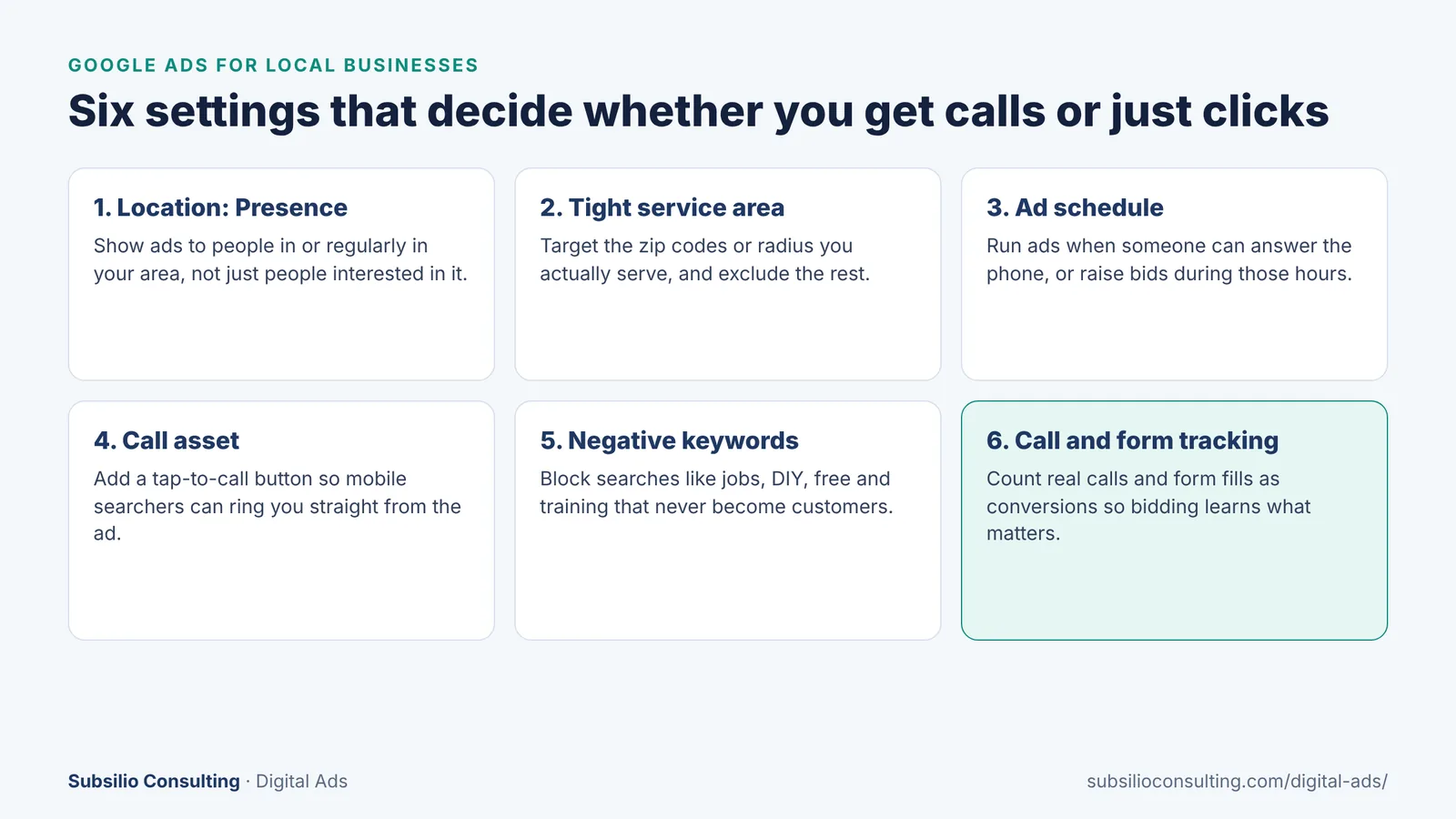
The six settings we check first in every local Google Ads account.
1. Location option: choose “Presence”
This is the single most common mistake we find in local accounts. By default, Google uses a location option called “Presence or Interest.” According to Google’s guide to advanced location options, that option reaches people who are in or regularly in your area plus people who have shown interest in it.
For a business that serves customers in a specific area, “interest” can mean someone in another state researching a trip to Denver. Switching to “Presence” limits your ads to people who are likely in, or regularly visit, your target area. For most local service businesses, that is what you want.
2. Target the area you actually serve
Don’t target “Colorado” if you only drive 25 minutes from your shop. Target the zip codes, cities or radius you really serve, and exclude areas you don’t. Google’s guide to targeting geographic locations covers the options. If some areas are more profitable than others, put them in separate campaigns or adjust bids so your budget goes where the best jobs are.
3. Ad schedule: run ads when someone can answer
If your ads drive calls but nobody picks up after 6 p.m., you are paying for missed opportunities. Use ad scheduling to limit ads to your business hours, or to raise and lower bids at certain times. If you offer emergency service, keep ads running after hours, but make sure calls are answered or routed.
4. Call assets and call-focused ads
Most local leads arrive by phone, especially on mobile. Add a call asset (formerly called a call extension) so searchers can tap to call directly from your ad. Make sure the number is tracked so Google can count those calls as conversions.
5. Negative keywords from day one
A negative keyword stops your ad from showing for searches that include certain words. Local service accounts nearly always need negatives such as:
- jobs, hiring, salary, careers
- DIY, how to, tutorial, course, training
- free, cheap (if you are not the low-cost option)
- the names of towns or areas you don’t serve
6. Conversion tracking for calls and forms
If Google doesn’t know which clicks became leads, it cannot optimize for leads. Set up conversion measurement for form submissions and calls. Google’s guide to measuring calls from ads explains how to count calls that last longer than a minimum duration you set, so short wrong-number calls don’t count as leads.
Choosing Keywords That Bring Local Buyers
Good local keywords combine a service with an intent or location signal. Think about how your customers actually search:
| Keyword type | Examples | Why it matters |
|---|---|---|
| Service + location | furnace repair Denver, dentist Wheat Ridge | Clear service and clear area |
| Service + “near me” | emergency plumber near me, auto repair near me | High intent, often on mobile |
| Problem-based | water heater leaking, car AC not blowing cold | Catches people before they know what service to search for |
| Urgency | 24 hour locksmith, same day AC repair | Strong buyers, often worth higher bids |
| Comparison and cost | cost to replace roof, how much is a crown | Research stage; may need a different landing page |
Keep your keywords grouped tightly by service. If you offer furnace repair, AC repair and duct cleaning, give each its own ad group with its own ads and landing page. That lets your ad say exactly what the person searched for, which improves relevance and usually lowers cost.
Match types matter too. Exact and phrase match give you more control. Broad match can find new searches, but it needs strong conversion tracking and regular search term reviews to stay on target. Check the search terms report weekly to see what people actually typed before clicking your ads.
Writing Local Ads That Get the Right People to Call
Your ad has a few lines to convince someone to choose you over the others on the page. The ads that work best for local businesses usually include:
- The exact service in the headline, matching the search.
- Your area, so people know you serve them (“Serving Denver and Lakewood”).
- A reason to choose you: years in business, licensed and insured, same-day service, warranty, financing.
- Proof: your review rating or a short customer quote. Strong reviews are one of the best tools a local advertiser has. Our reputation marketing service helps you build them.
- A clear call to action: “Call now for a free estimate,” “Book online today.”
Also use the other ad assets Google offers, such as sitelinks to specific services, callouts for key benefits and a location asset if you have a storefront. Assets make your ad larger and give people more reasons to click. If you want to test which message works best without wasting budget, our guide to A/B testing paid ads on a small budget walks through it.
Your Landing Page Decides Whether the Click Becomes a Customer
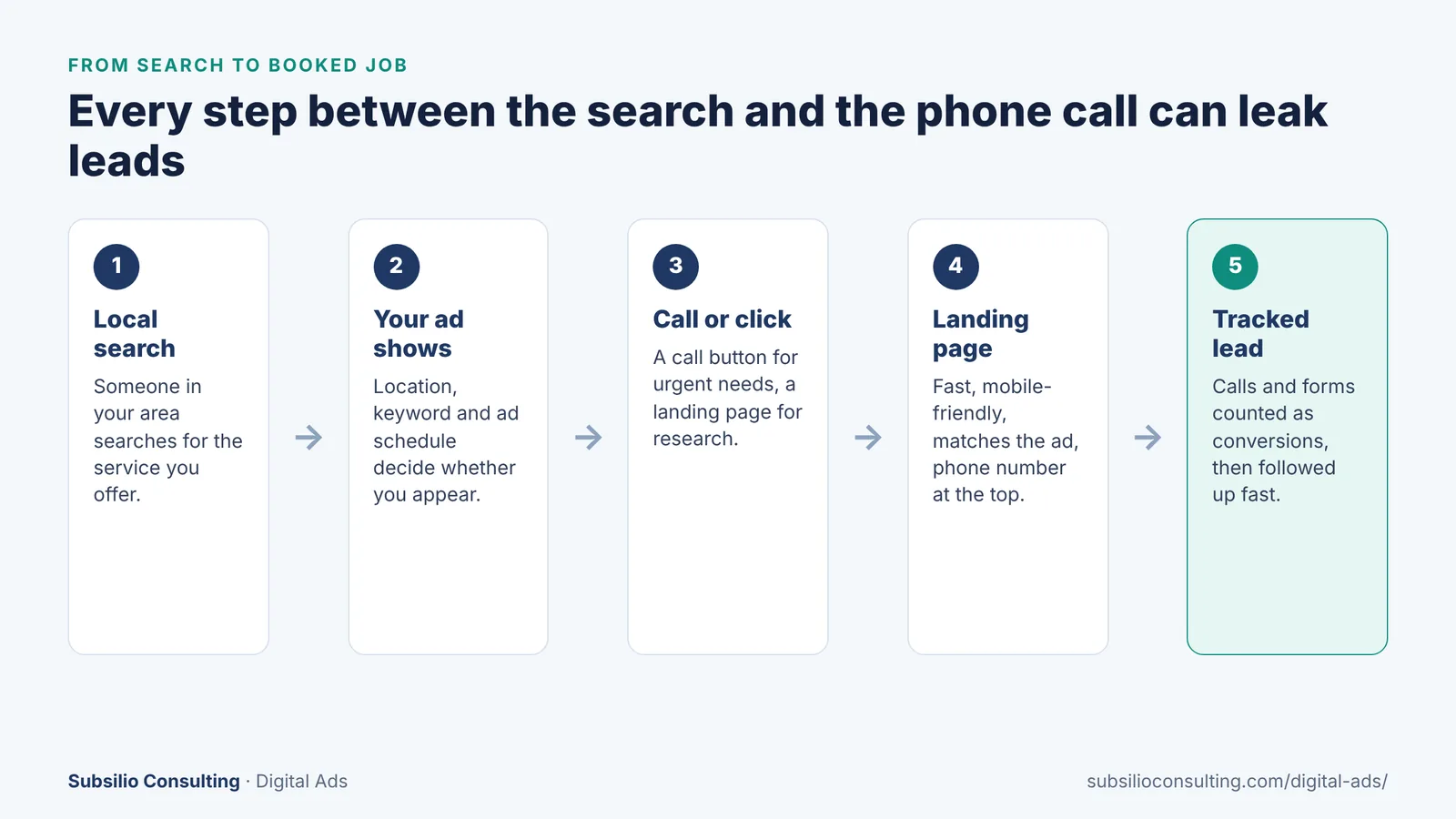
Each step between the search and the call is a place where leads can leak.
Sending paid traffic to your home page is one of the most expensive habits in local advertising. A dedicated landing page for each main service almost always converts better, because it answers exactly what the person searched for.
A strong local landing page includes:
- A headline that matches the ad and the search.
- Your phone number at the top, clickable on mobile.
- A short form (name, phone, what you need) for people who prefer not to call.
- Your service area, clearly listed.
- Reviews, ratings, photos of real work and any licenses, certifications or guarantees.
- Fast loading on mobile. You can check speed with Google’s free PageSpeed Insights.
If your website was not built with paid traffic in mind, our web design team can build conversion-focused landing pages. Our guide to building an SEO-friendly website for a Denver small business also covers speed and mobile basics that help both ads and SEO.
How Much Should a Local Business Spend on Google Ads?
There is no universal number, because costs depend on your industry, your area, your competition and how well your account is run. But there are a few principles that hold for almost every local business.
- Spend enough to learn. A budget that buys only a handful of clicks a day spread across many keywords will never tell you what works. It is better to cover fewer services well than many services thinly.
- Work backward from your numbers. Decide how many new customers you want, how many leads it takes to win one, and what you can afford to pay per lead. That tells you what monthly budget makes sense.
- Understand daily budget behavior. Google’s guide on overdelivery and average daily budgets explains that a campaign might spend up to twice its average daily budget on a given day, but over a month you won’t be charged more than 30.4 times your average daily budget.
- Use keyword planning data. Google Keyword Planner gives estimated bid ranges for your keywords in your area. Use them as a starting point, then rely on your own results.
- Separate ad spend from management. Ad spend goes to Google. Management fees go to whoever runs the account. Make sure you know both. Our PPC management pricing guide explains what to expect.
For a broader look at agency costs in Denver, see our Denver digital marketing agency price guide.
Google Ads vs Local Services Ads: Which Should You Use?
If you are a home service business, you may also be eligible for Google’s Local Services Ads. These appear at the top of some local searches, and you pay for leads related to your services rather than for clicks. Businesses that pass Google’s screening process can earn a “Google Verified” badge.
Many local businesses run both. Local Services Ads can be cost-effective for core services, while Search ads give you more control over keywords, ad messages, landing pages and services that Local Services Ads don’t cover. Your reviews influence both, which is another reason to keep your Google Business Profile optimized.
How Google Ads and Local SEO Work Together
Ads and SEO are not competitors. Ads give you immediate visibility and data about which searches convert. SEO builds long-term visibility in the map pack and organic results that you don’t pay for per click.
The search term data from your ads is one of the best inputs for your SEO plan, because it shows exactly which phrases bring calls. In the other direction, a strong organic presence and plenty of reviews make your ads more trusted. Learn more about the organic side in our guide to ranking higher on Google Maps, or explore our local SEO services.
Common Local Google Ads Mistakes
- Leaving location targeting on “Presence or Interest.”
- Targeting a much larger area than you serve.
- Sending all ads to the home page.
- Not tracking phone calls as conversions.
- Never checking search terms or adding negative keywords.
- Running ads when nobody answers the phone.
- Using smart bidding before you have enough conversion data for it to learn from.
- Judging success by clicks and click-through rate instead of leads and cost per lead.
Conclusion: Clicks Are the Cost, Calls Are the Goal
Google Ads can be one of the most profitable marketing channels a local business has, because it reaches people at the moment they need you. But clicks on their own are just a cost. The value comes when the right person, in your area, during your business hours, lands on a page that makes it easy to call, and that call is tracked so you can see what is working.
Get the fundamentals right (Presence location targeting, a tight service area, call assets, negative keywords, dedicated landing pages and proper conversion tracking) and you give every dollar a much better chance of turning into a customer.
If you would rather have experienced people set up and manage your campaigns, or you want a second opinion on an account that isn’t producing calls, our team can help. See how we manage digital ads for Denver businesses or request a free ad account review.
Getting Clicks but Not Calls?
We will review your Google Ads account and show you exactly where the leads are slipping away.
Frequently Asked Questions About Google Ads for Local Businesses
Q1. Are Google Ads worth it for a small local business?
Yes, Google Ads can be worth it for local businesses because they reach people who are actively searching for your service in your area. They work best when location targeting, keywords, landing pages and call tracking are set up correctly, and when you have the capacity to answer and follow up on leads quickly.
Q2. How do I target only my local area in Google Ads?
Set your location targeting to the cities, zip codes or radius you actually serve, exclude areas you don’t, and change the location option from “Presence or Interest” to “Presence.” This shows your ads to people who are in or regularly in your area rather than people who are only interested in it.
Q3. How much does Google Ads cost for a local business in Denver?
The cost depends on your industry, competition, keywords and how well the account is managed, so there is no single figure. Use Google Keyword Planner to estimate bid ranges for your services in Denver, then set a budget large enough to collect meaningful data. Remember to budget separately for management fees.
Q4. Should I use call ads or send people to my website?
Use both. Call assets let mobile searchers tap to call directly from the ad, which suits urgent services. A dedicated landing page works better for people who want to research, compare or fill out a form. Track calls and forms as separate conversions so you can see which works best.
Q5. How long does it take for Google Ads to start working?
Ads can start showing as soon as they are approved, so you may see clicks and calls within days. It usually takes several weeks of data to learn which keywords, ads and times produce the best leads and to optimize the account. Smart bidding strategies also need conversion data before they perform well.
Q6. What are negative keywords and why do local businesses need them?
Negative keywords stop your ads from showing for searches you don’t want, such as job searches, DIY tutorials or areas you don’t serve. Local businesses need them because service keywords often attract people who will never become customers. Review your search terms report regularly and add new negatives as you find them.
Q7. Should I run Google Ads if my SEO is already good?
Often, yes. Ads can show above organic results, cover keywords you don’t rank for yet and test new services quickly. Ads also give you search term data that improves your SEO. Businesses with strong SEO and reviews often get better results from ads because searchers already trust them.
Q8. What is the difference between Google Ads and Local Services Ads?
Google Search ads charge per click and give you control over keywords, ad text and landing pages. Local Services Ads charge for leads related to your services and are available only for certain service categories. Local Services Ads rely heavily on your reviews and screening, while Search ads give you more flexibility.