
CONVERSION TRACKING
Google Ads and Facebook Ads Conversion Tracking: A Guide for Small Businesses
What to track, how to set up Google Ads and Meta tracking step by step, and how to fix the most common tracking mistakes.
ESTIMATED READ TIME: 12 MINUTES
Not sure your tracking is recording real leads?
If you run Google Ads or Facebook Ads without proper conversion tracking, you are making decisions in the dark. You can see what you spent. You can see clicks. But you can’t see which ads made the phone ring, which keywords brought in paying customers, or which campaigns quietly burned money.
Worse, modern ad platforms use your conversion data to decide who sees your ads next. If they learn from the wrong signals, like page views or accidental clicks, they get very good at finding people who never buy.
This guide explains conversion tracking: what it is, what you should track, how to set it up on Google Ads and on Facebook and Instagram, how to track phone calls and offline sales, and how to check that it all works. It’s written from our day-to-day experience setting up tracking for the digital ad campaigns we manage at Subsilio Consulting.
Key Takeaways
- Conversion tracking records the valuable actions people take after seeing or clicking your ads, such as calls, form submissions, bookings and purchases.
- Track business outcomes as primary conversions. Keep softer signals (like phone number taps or page visits) as secondary so they don’t steer bidding.
- On Google Ads, use the Google tag plus enhanced conversions. On Facebook and Instagram, use the Meta Pixel plus the Conversions API.
- Phone calls and offline sales need their own setup. For many local businesses they are the most important conversions of all.
- Test every conversion after setup and recheck it monthly. Broken tracking is one of the most common causes of “ads that stopped working.”
What Is Conversion Tracking?
A conversion is any action you count as valuable, such as:
- A phone call to your business
- A completed contact or quote form
- An online booking
- A purchase
- A sign-up for a consultation or demo
Conversion tracking connects that action back to the ad, campaign and keyword or audience that led to it. Google describes it as a way to see how effectively ad clicks lead to valuable customer activity on your website, such as purchases, sign-ups and form submissions.
Why Conversion Tracking Matters for Small Businesses
1. You Find Out What Actually Works
Without tracking, you may keep funding a campaign that gets lots of clicks but no customers, and cut one that gets fewer clicks but most of your jobs.
2. Smart Bidding Needs It
Automated bid strategies such as Maximize Conversions and Target CPA in Google Ads, and conversion-optimised campaigns on Facebook and Instagram, learn from the conversions you send them. Good data in, better results out.
3. Reporting Becomes Honest
A PPC report is only as reliable as the tracking behind it. If tracking is wrong, every cost-per-lead number is wrong.
4. You Can Calculate Real Return
Once you know how many leads came from ads and how many became customers, you can see your true cost per customer and decide how much more to invest.
How Conversion Tracking Works

Conversion tracking works the same way on Google Ads and Facebook/Instagram Ads.
- Someone clicks or views your ad. The platform records it. Google Ads adds a click identifier (called a GCLID) to the web address when auto-tagging is on.
- They visit your website. A tracking code (the Google tag or Meta Pixel) loads on your pages.
- They take an action. They submit a form, reach a thank-you page, click to call, or buy.
- The tag sends a signal. The browser tells Google or Meta a conversion happened.
- A server-side backup helps fill gaps. Browser restrictions, ad blockers and privacy settings mean some browser signals are lost. Server-side options (enhanced conversions for Google, Conversions API for Meta) send hashed first-party data to improve matching.
- Offline results can be added later. If a lead becomes a customer days later, you can import that sale back into the ad platform.
Decide What to Track Before You Set Anything Up
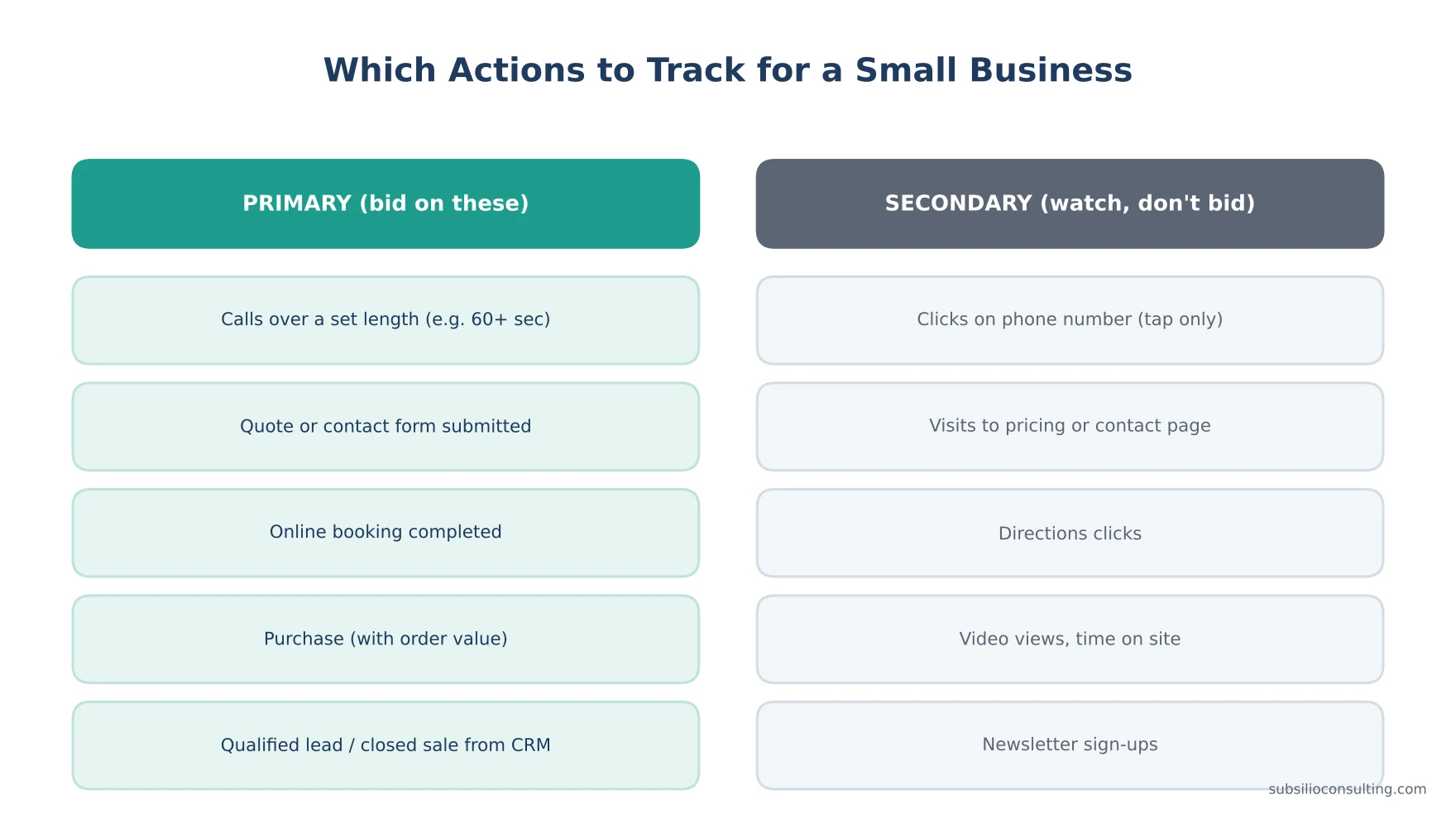
Bid on the actions that bring in revenue, and watch the rest as secondary signals.
This is the step most businesses skip. Before touching any code, list:
- What actions bring you money? Calls, quote forms, bookings, purchases.
- Which of those can happen online? Form submissions, online checkout, booking tools.
- Which happen offline? Phone calls that become appointments, quotes that become jobs.
- How long does a sale take? Same day, a week, a month?
Then split them into two groups:
| Primary conversions (used for bidding) | Secondary conversions (observe only) |
|---|---|
| Calls over a set length (for example 60 seconds or more) | Taps on your phone number |
| Completed quote or contact forms | Visits to pricing or contact pages |
| Completed bookings | Directions clicks |
| Purchases with order value | Video views, scroll depth |
| Qualified leads or closed sales imported from your CRM | Newsletter sign-ups |
Google Ads lets you mark conversion actions as primary or secondary, so you can watch helpful signals without letting them steer bidding. This one decision prevents a lot of wasted spend.
Google Ads Conversion Tracking: Step by Step
Step 1: Turn On Auto-Tagging
Auto-tagging adds the GCLID to your ad URLs so Google can tie conversions back to clicks. It’s needed for offline conversion imports too.
Step 2: Install the Google Tag
The Google tag is a single piece of code that goes on every page of your site. You can add it:
- Directly in your website’s header,
- Through Google Tag Manager, or
- Through a built-in integration in your website platform.
Google’s guide on setting up web conversions explains how Google Ads can scan your site to check whether a tag or linked Google Analytics property is already in place.
Step 3: Create Your Conversion Actions
In Google Ads, go to Goals → Summary → Create conversion action, then choose:
- Conversions on a website (forms, bookings, purchases)
- Conversions from phone calls
- Conversions offline (imports from your CRM)
For website conversions you can track by URL (for example, everyone who reaches your thank-you page) or by event code (for example, when a form is successfully submitted).
Step 4: Choose the Right Settings
For each conversion action, decide:
- Count: “One” for leads (one person submitting three forms is still one lead), “Every” for purchases.
- Value: use real or average values if you can. Even a rough value helps you compare.
- Conversion window: how long after a click a conversion still counts. Match it to your sales cycle.
- Primary or secondary: only real business outcomes should be primary.
Step 5: Turn On Enhanced Conversions
Enhanced conversions improve measurement by sending hashed customer information (such as an email address captured on your form) alongside the conversion. Google matches this privacy-safe data to signed-in Google accounts to recover conversions that browser tracking would miss. You can set it up through the Google tag, Google Tag Manager or the Google Ads API. Google now combines enhanced conversions for web and for leads into a single setting.
Step 6: Import Google Analytics Key Events (Optional)
If you use Google Analytics 4, you can link it and import key events into Google Ads. This is useful, but avoid counting the same action twice (once from the Google Ads tag and once from GA4). Pick one source as primary.
Step 7: Test It
Use Google’s Tag Assistant to confirm the tag fires, then submit a test form and check the conversion action’s status. Google notes it can take up to 48 hours for tag status to update after you make changes.
How to Track Phone Calls in Google Ads
For many local businesses, phone calls are the main source of leads. Google Ads offers several ways to track phone call conversions:
Calls From Ads
When your ads show a phone number through a call asset or location asset, Google can track calls made directly from the ad using a Google forwarding number. You set a minimum call length so short calls don’t count. See Google’s guide to measuring calls from ads.
Calls to the Number on Your Website
Google can swap the phone number on your website for a Google forwarding number for visitors who came from your ads, then track calls longer than the length you choose. This requires the Google tag plus a phone snippet. Google’s instructions are in tracking calls to a phone number on a website.
Clicks on Your Phone Number (Mobile)
You can track taps on a click-to-call link. This is easy but less reliable, because a tap isn’t always a completed call. Keep it as a secondary conversion if you also track real calls.
Imported Calls
If you use a dedicated call tracking system that records which calls became appointments or sales, you can import those qualified calls back into Google Ads.
Tip: choose a sensible minimum call length. Very short calls are often wrong numbers or spam. Your front desk can help you decide what a “real” call length is for your business.
How to Track Offline Sales
When leads close later by phone, in person or after a quote, you can feed those results back to Google Ads. Google now recommends enhanced conversions for leads as the main way to do this. It uses hashed customer data captured on your lead form to match the lead to the original ad interaction when you later import the sale.
The older method uses the GCLID: you capture the click ID in a hidden form field, store it in your CRM, and upload it when the deal closes. Google’s article about offline conversion imports explains both options, and Google’s troubleshooting guidance notes that it only keeps the GCLID for 90 days, so long sales cycles may need an earlier milestone (like “qualified lead”) as the imported conversion.
Importing offline sales is the single biggest upgrade most lead-generation businesses can make, because it teaches the platform the difference between a lead and a customer.
Facebook and Instagram Ads Conversion Tracking: Step by Step
Step 1: Set Up Your Business Portfolio and Dataset
Make sure your Facebook Page, Instagram account, ad account and Pixel (now called a dataset in Events Manager) all sit in your own business portfolio. You should own these assets, not your agency.
Step 2: Install the Meta Pixel
The Meta Pixel is a piece of code on your website that records actions people take after seeing or clicking your ads. You can install it manually, through Google Tag Manager, or through a website platform integration.
Step 3: Set Up Standard Events
Use Meta’s standard events for key actions, such as:
- Lead for form submissions
- Contact for calls or messages
- Schedule for bookings
- Purchase (with value and currency) for sales
Fire events only when the action is complete, for example on the thank-you page, not when someone opens the form.
Step 4: Add the Conversions API
The Conversions API sends events from your server directly to Meta. It works alongside the Pixel and helps capture conversions that browsers block. When you send the same event from both, include a matching event ID so Meta can remove duplicates.
Meta scores how well your server events can be matched to people with an Event Match Quality score, shown in Events Manager. Sending more customer information parameters (such as hashed email and phone) generally improves matching.
Step 5: Verify Your Domain
Verifying your website domain in your business portfolio confirms you own it and helps protect your tracking and link previews.
Step 6: Understand the Attribution Setting
Meta reports conversions within an attribution window, such as “7-day click and 1-day view.” In January 2026, Meta removed the 7-day view and 28-day view windows from its Ads Insights API, consistent with what’s available in Ads Manager. If your reported conversions dropped around that time, check whether your reporting window changed before assuming performance fell.
Step 7: Test in Events Manager
Use the Test Events tool in Events Manager to trigger each event and confirm it is received from both the browser and the server.
What About Privacy and Consent?
Tracking should respect your visitors and follow the laws that apply to you. Practical steps:
- Keep your privacy policy up to date and explain what you collect and why.
- Only send hashed customer data where your terms and applicable laws allow it.
- If you have visitors from regions with consent requirements (such as the EU), use a consent banner and Google’s consent mode.
- Never send sensitive information, such as health details, through tracking parameters or URLs.
If you’re unsure what applies to your business, talk to a legal professional. This guide isn’t legal advice.
Common Conversion Tracking Mistakes
- Counting page views as conversions. Visits to your contact page are not leads.
- Double counting. The same form tracked by the Google Ads tag and imported from GA4, both set as primary.
- Tracking form “clicks” instead of completed submissions. Validation errors and abandoned forms get counted.
- Thank-you pages that can be visited directly (or are indexed in Google), creating fake conversions.
- Forgetting calls. Many local businesses miss most of their leads by tracking only forms.
- No offline imports. Platforms optimise for leads, not customers.
- Agency-owned accounts and pixels. If you change providers, you lose the history.
- Not rechecking after website changes. New forms, plugins or redesigns often break tags silently.
A Monthly Conversion Tracking Checklist
- Do conversions in Google Ads and Meta roughly match leads your team received?
- Are all conversion actions showing “Recording conversions” or “Active”?
- Have any forms, phone numbers or pages changed?
- Is enhanced conversions / Conversions API data still coming through?
- Are offline imports uploading without errors?
- Are any secondary actions accidentally set as primary?
For a broader account health check, see our Google Ads audit checklist.
Conclusion: Track What Pays the Bills
Conversion tracking isn’t a technical extra. It’s the foundation of every good decision you make about your ads. When you track real business outcomes, calls, forms, bookings and sales, and feed them back to Google and Meta, your reports become trustworthy and your campaigns get smarter.
Start by listing what actually makes you money, set those as primary conversions, add server-side tracking, and check it every month. If you do just that, you’ll be ahead of most small business ad accounts.
Need help setting up or auditing your tracking? Subsilio Consulting sets up and maintains conversion tracking as part of our digital ads management for Denver and US small businesses. Contact us for a free tracking review.
Is Your Tracking Counting the Leads That Matter?
We set up and audit conversion tracking for Google Ads and Facebook Ads so every report reflects real calls, forms and sales.
Frequently Asked Questions About Conversion Tracking
Q1. What is conversion tracking in Google Ads?
Conversion tracking in Google Ads records valuable actions people take after interacting with your ads, such as calls, form submissions, bookings or purchases, and links them to the campaign, ad group and keyword that drove them.
Q2. What is the difference between the Meta Pixel and the Conversions API?
The Meta Pixel is browser-based code on your website that records actions people take. The Conversions API sends the same events from your server directly to Meta. Using both, with matching event IDs for deduplication, gives more complete and reliable conversion data.
Q3. What are enhanced conversions in Google Ads?
Enhanced conversions improve conversion measurement by sending hashed first-party customer data, such as an email address from a form, with your conversion tags. Google matches it to signed-in Google accounts to recover conversions browser tracking would miss.
Q4. How do I track phone calls from Google Ads?
You can track calls made directly from ads with call or location assets, calls to a Google forwarding number shown on your website, taps on click-to-call links, and imported calls from a call tracking system. Set a minimum call length to filter out short calls.
Q5. How do I track offline sales from my ads?
Use enhanced conversions for leads or GCLID-based offline conversion imports in Google Ads, and Meta’s Conversions API for offline events. Capture identifiers when the lead comes in, then upload the result when the lead becomes a customer.
Q6. Why are my Google Ads conversions not showing?
Common causes include the tag not firing, the conversion action set up on the wrong page, auto-tagging turned off, recent site changes, or simply delays: Google says tag status can take up to 48 hours to update after corrections.
Q7. Why don’t Facebook and Google conversion numbers match?
Each platform uses its own attribution rules and windows, and both may claim credit for the same customer. Compare them against your own CRM or lead log rather than adding platform numbers together.
Q8. Do I need Google Tag Manager for conversion tracking?
No, but it helps. Google Tag Manager makes it easier to manage Google, Meta and other tags in one place without editing website code each time.